
Not every meal needs a recipe. For the simple meals you have regularly, you can save the products you normally buy together as your own meal. Create it once, then choose it again whenever you want it. Silflay will remember the products and add them to the shop that covers that meal.
Create a meal you have regularly
You can create a meal while deciding what to eat, or add one to Saved ready for another time.
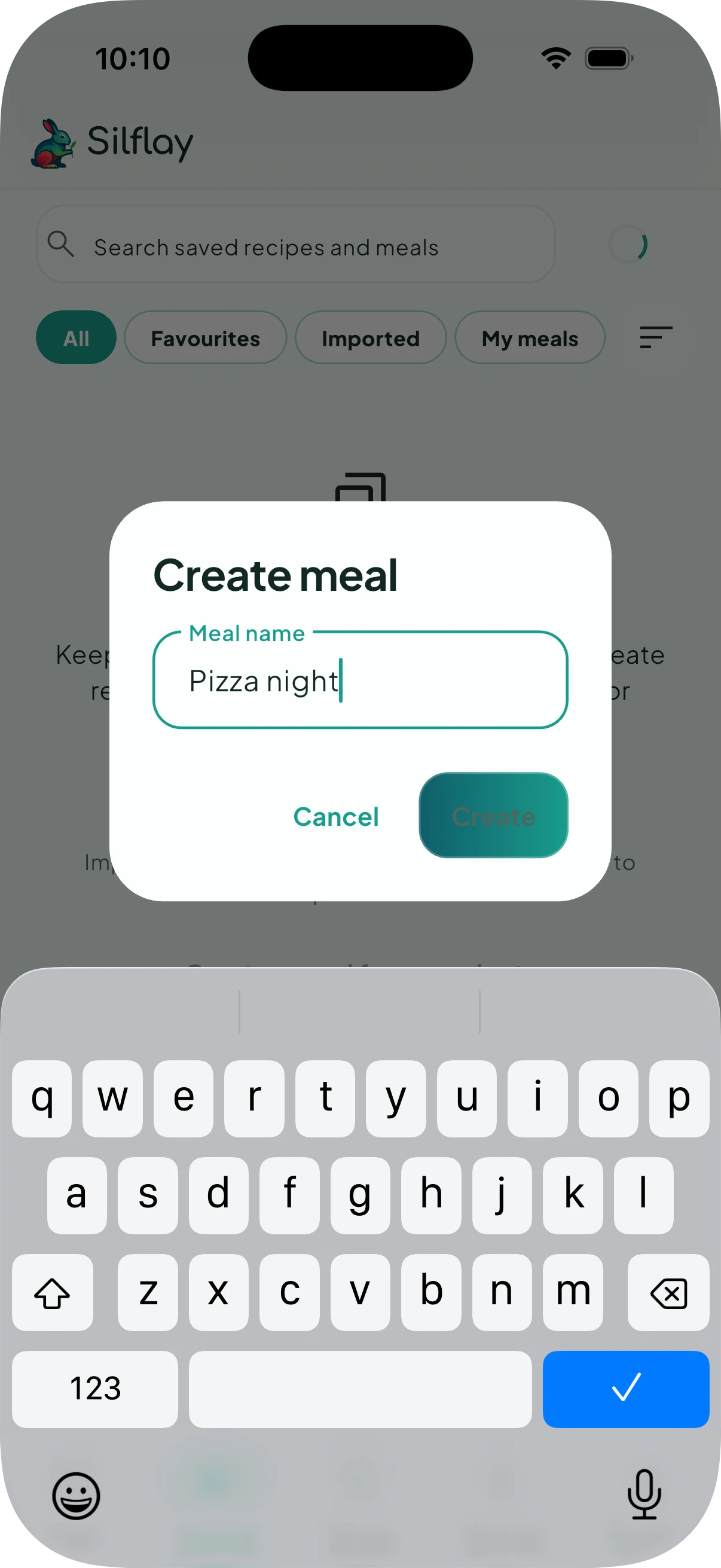
While choosing a meal in Plan, go to the Products section and use Create a meal from products. Or go to Saved, tap Add → Create meal.
Give it a name, then tap Create.
Add what you normally buy
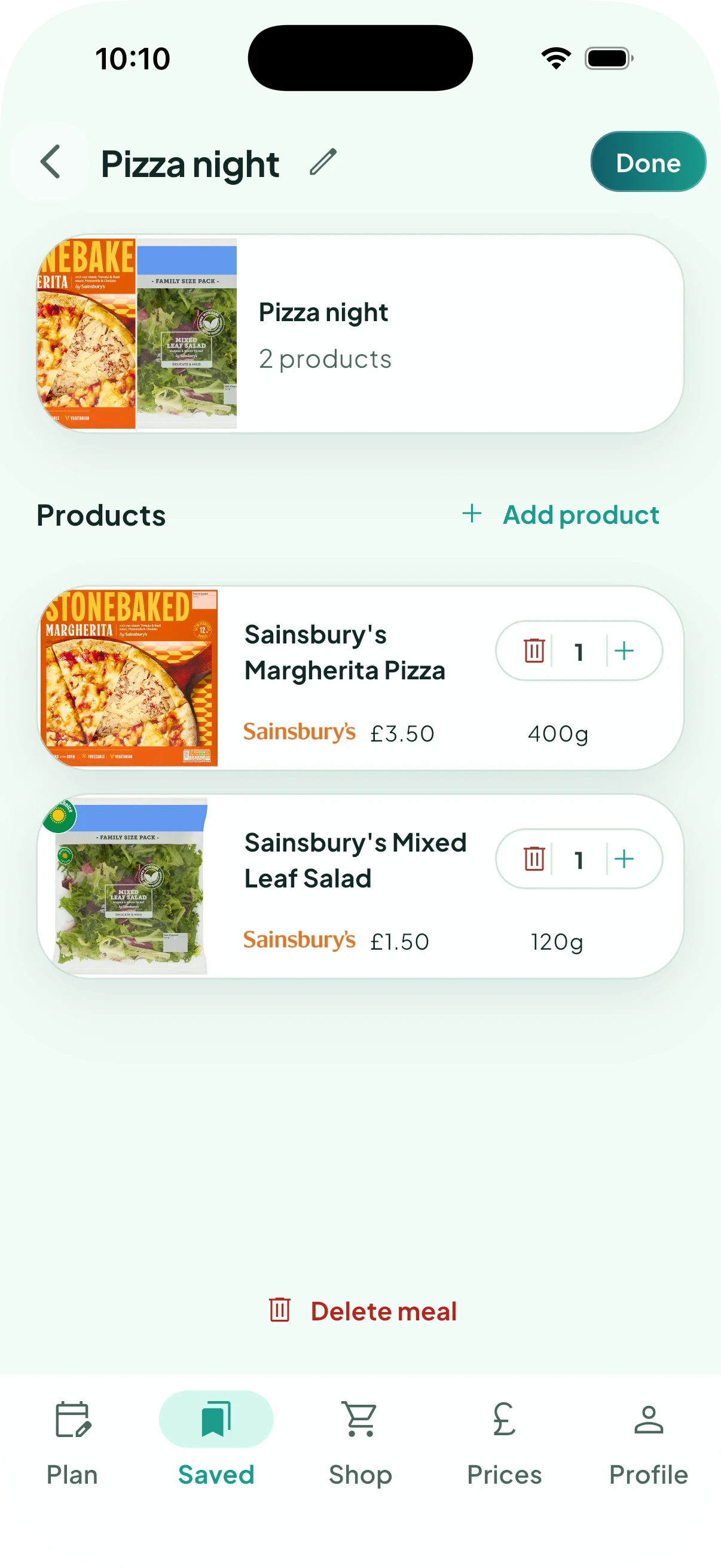
Add the supermarket products that make up the meal and set the quantities you normally need.
Silflay remembers these products and adds them to your shop whenever you choose the meal. Tap Done when you have finished.
Choose it for a meal
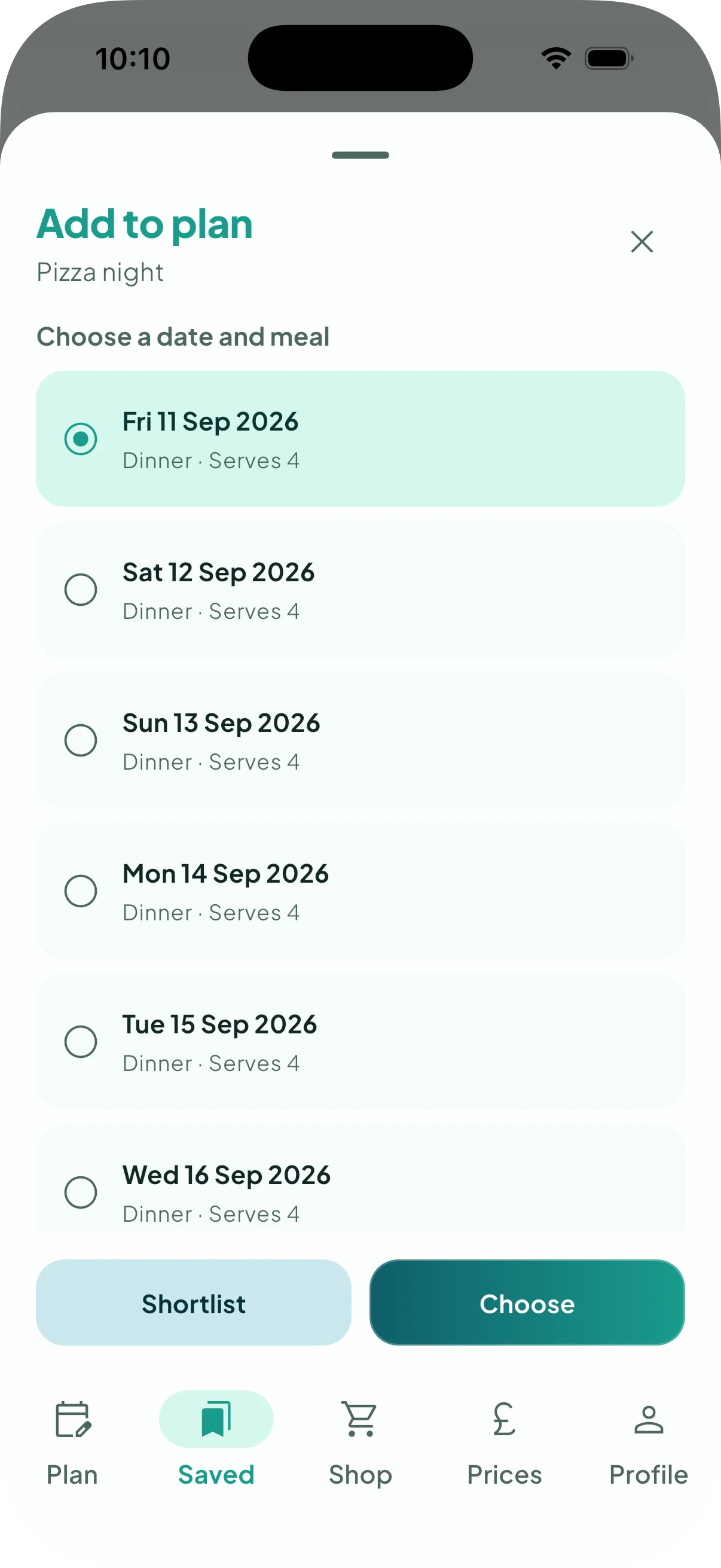
Your meal stays in Saved, ready for next time. Choose it while filling a meal in Plan, or use Add to plan… from Saved and pick the date and meal.
When you choose it, Silflay adds its saved products and quantities to the shop that covers that meal.
You can edit the meal later if what you usually buy changes.
Just one product?
If the whole meal is a single supermarket product, such as a ready meal, you don’t need to create a saved meal. You can choose that product directly when filling the meal in Plan.
Creating your own meal is most useful when several products belong together and you expect to have the same combination again.